How to make a vision board you’ll want to keep
Start with the parts of your life you want to give more attention to. Your board might hold a quieter home, meaningful work, time outdoors, or a habit you want to build. You don’t need a plan for every life area. A few intentions you care about will give you somewhere to begin.
Choose your words and a layout
Pick the life areas you want on your board, then tap Surprise me to fill it with phrases from those areas. Any photos you’ve added stay put. Tap a tile, or use the Choose a tile menu, to replace a phrase. Write in your own words when a suggested phrase doesn’t quite fit.
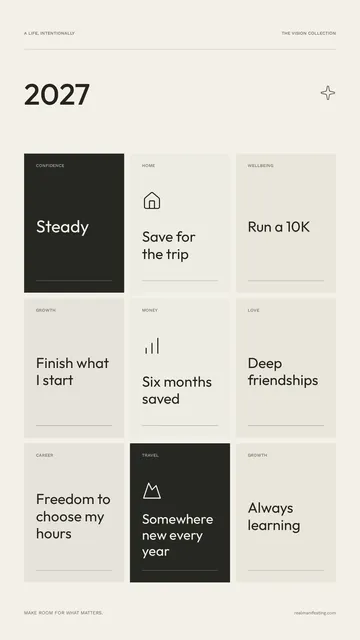
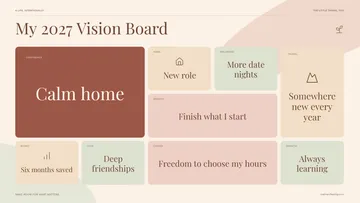
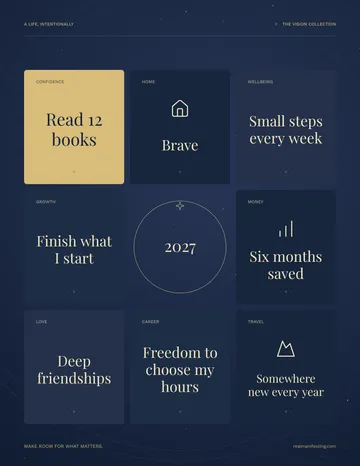
The grid gives each intention equal space. The collage makes room for a larger anchor tile. The center layout places your title among eight intentions. Switch between Minimal, Soft, and Celestial to see which colors feel at home on your screen.
Add a photo that means something to you
Choose My photo for any tile and open a picture from your device. A familiar place, a person you love, or a moment you want more of can be enough. Photos fill each tile with a centered crop, so keep the important part near the middle. You can replace or remove a photo any time.
Your photos are read in this browser tab and aren’t uploaded. Keep the tab open while you work. Download the finished image before reloading or leaving, because this editor doesn’t save your board between visits.
Keep it somewhere you’ll see it
Choose Phone for a 1080 × 1920 wallpaper, Desktop for a 1920 × 1080 background, or Letter for a 2550 × 3300 PNG at 300 dpi. The preview follows your chosen size. For printing, choose US Letter paper and print at actual size; your printer may leave a small white border.
Look at your board and pick one small action for today: schedule the walk, set aside the money, or send the application. A vision board is a reminder to act, and doesn’t guarantee financial, health, career, or relationship outcomes. For more ideas, read our guide to vision board manifestation.
Vision board templates: three styles and three layouts
Each style and layout works as a ready-made template. Pick one to start, then change anything you like.
Which style suits you
Minimal uses cream tiles with a few dark ones. It’s easy to read at a glance and works well as a lock screen. Soft uses warm pinks and sand tones, which suit boards about home, love and rest. Celestial uses deep navy with gold and looks good on a dark-mode phone or a printed board on a desk.
Which layout to choose
The grid has nine equal tiles, so no goal stands above the others. The collage gives one larger tile to the goal you most want to focus on. The center puts your board title in the middle with eight intentions around it.
Photos or words only
Photos make a board feel personal, but a busy picture can be hard to read on a small screen. If you’re making a phone wallpaper, try one or two photos and keep the rest as short phrases. A printed board has more room for photos.
Which size to download
Phone (1080 × 1920) is for a lock screen or home screen. Desktop (1920 × 1080) is for a laptop or monitor background. Letter (2550 × 3300 at 300 dpi) is for printing on 8.5 × 11 inch paper; plain or matte photo paper both work.
How to set your vision board as your phone wallpaper
iPhone: save the PNG to Photos, open it, tap the Share button and choose Use as Wallpaper. Adjust the crop, then set it for your Lock Screen, Home Screen or both.
Android: save the PNG, open it in your gallery or Google Photos, tap the menu and choose Use as or Set as wallpaper. Menus differ a little between phones.